
Earn playtime with chores
A family time bank with a clock kids can read

Free (ads only in the parent area) · iPhone / iPad / Android · 5 languages
"Just five more minutes!" Sound familiar?

Games and videos are hard to stop
Kids can't tell how many minutes are left, so time rules don't stick
You end up reminding and nagging all day
You want chores and homework to become a habit
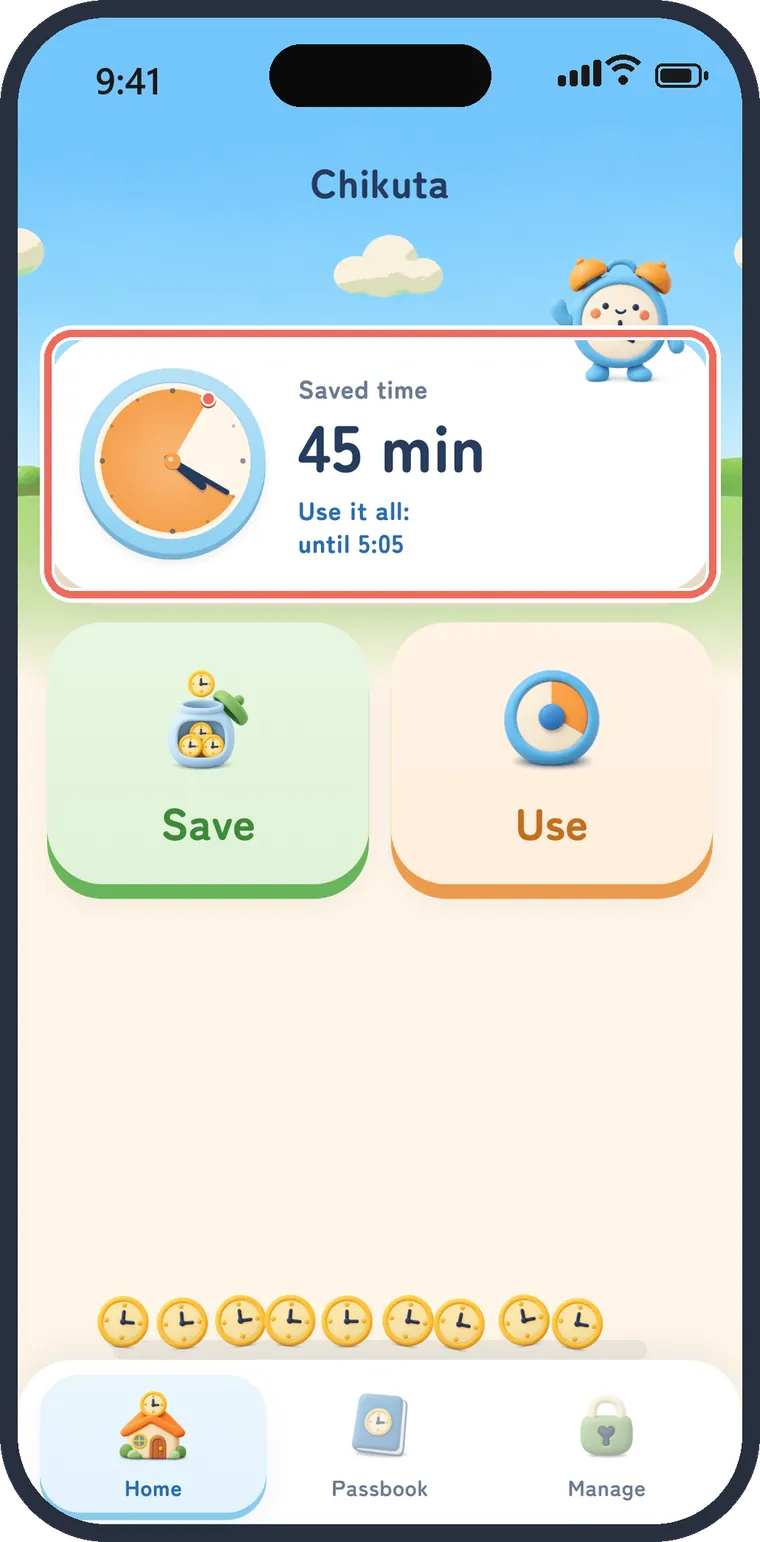
 Chikuta is a time bank for the family. Kids save up playtime with chores and homework, then decide for themselves how to use it.
Earn time with chores
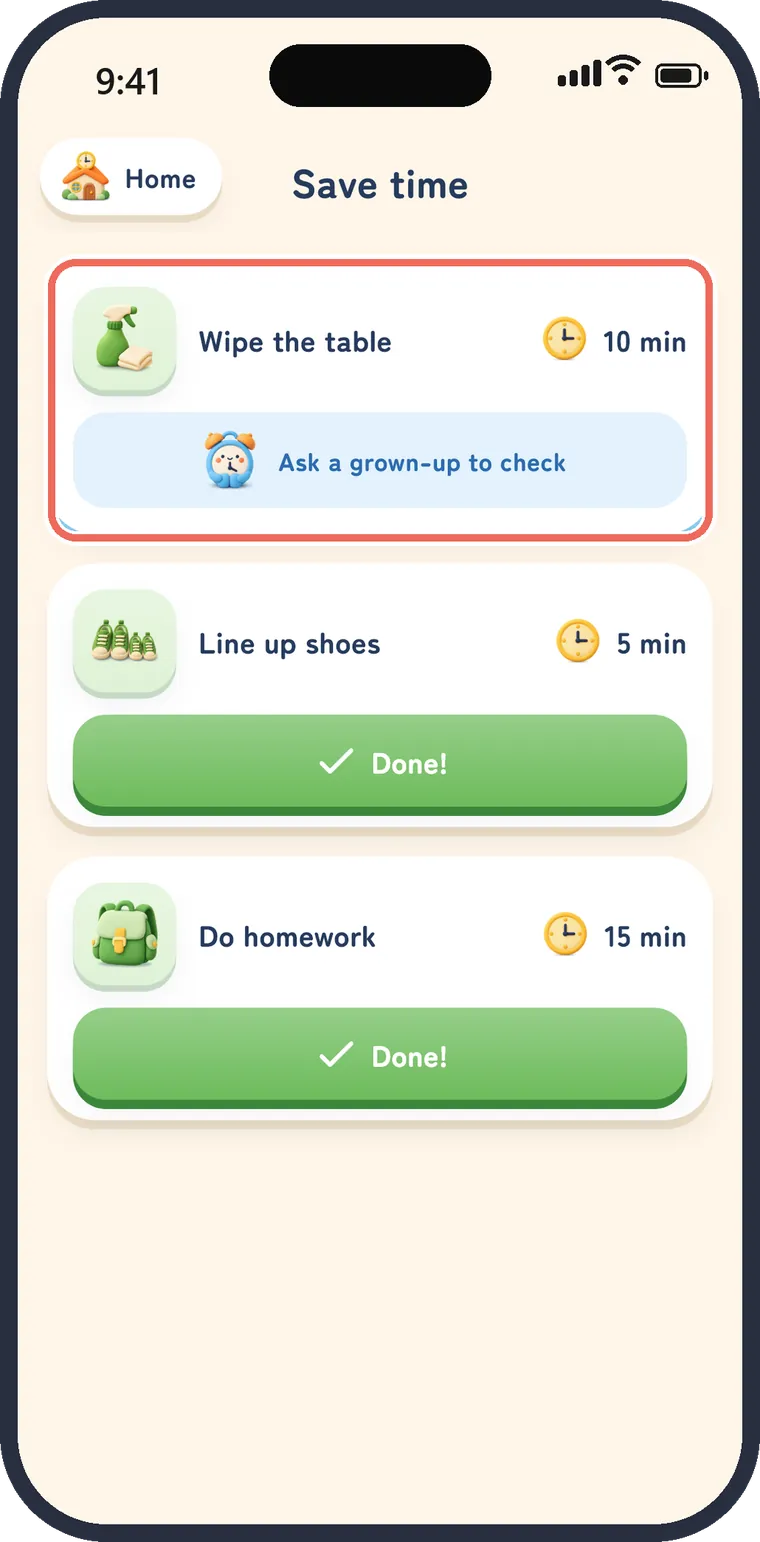
Just tap "Done!" when a chore is finished
Parents set the to-dos and the minutes each one earns, or pick from suggestions.



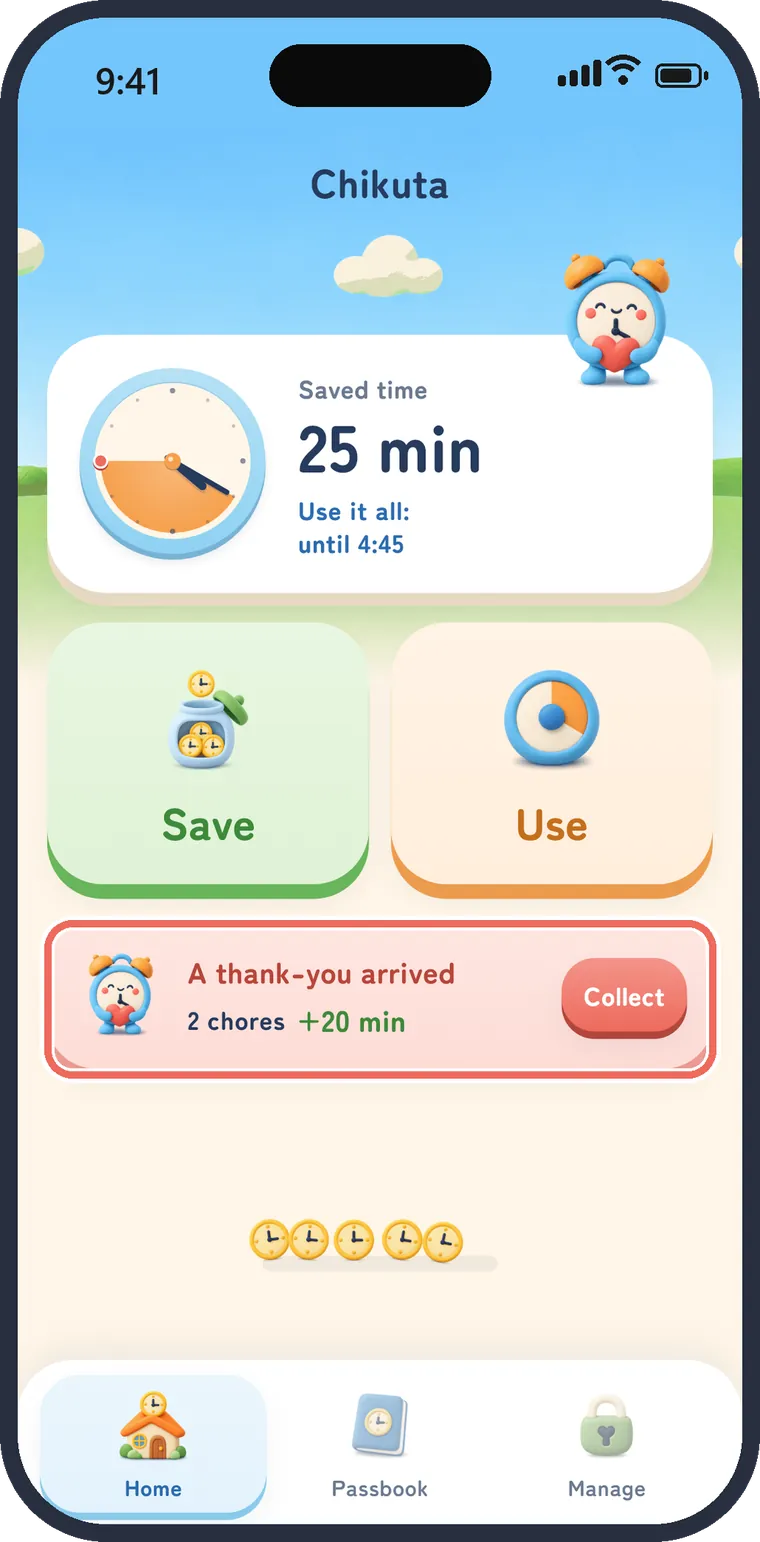
A thank-you comes back
Collect it and coins rain into the account
When a parent approves, a thank-you card arrives on the home screen, so kids can see that their help mattered to the family.

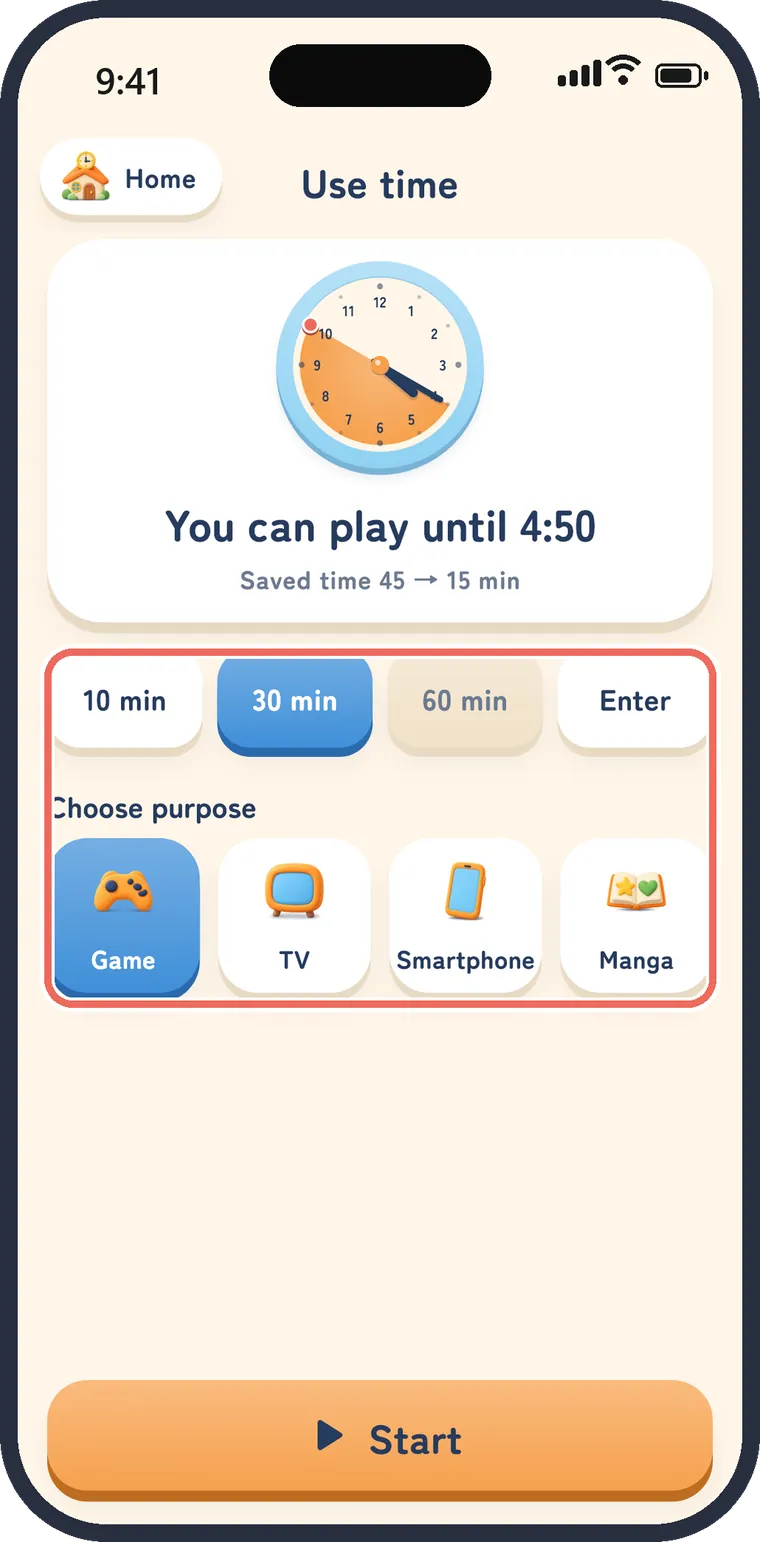
Kids choose how to use it
Pick the minutes and what for, then start
Games, TV, videos, comics, playing outside, family time: each family sets its own list.



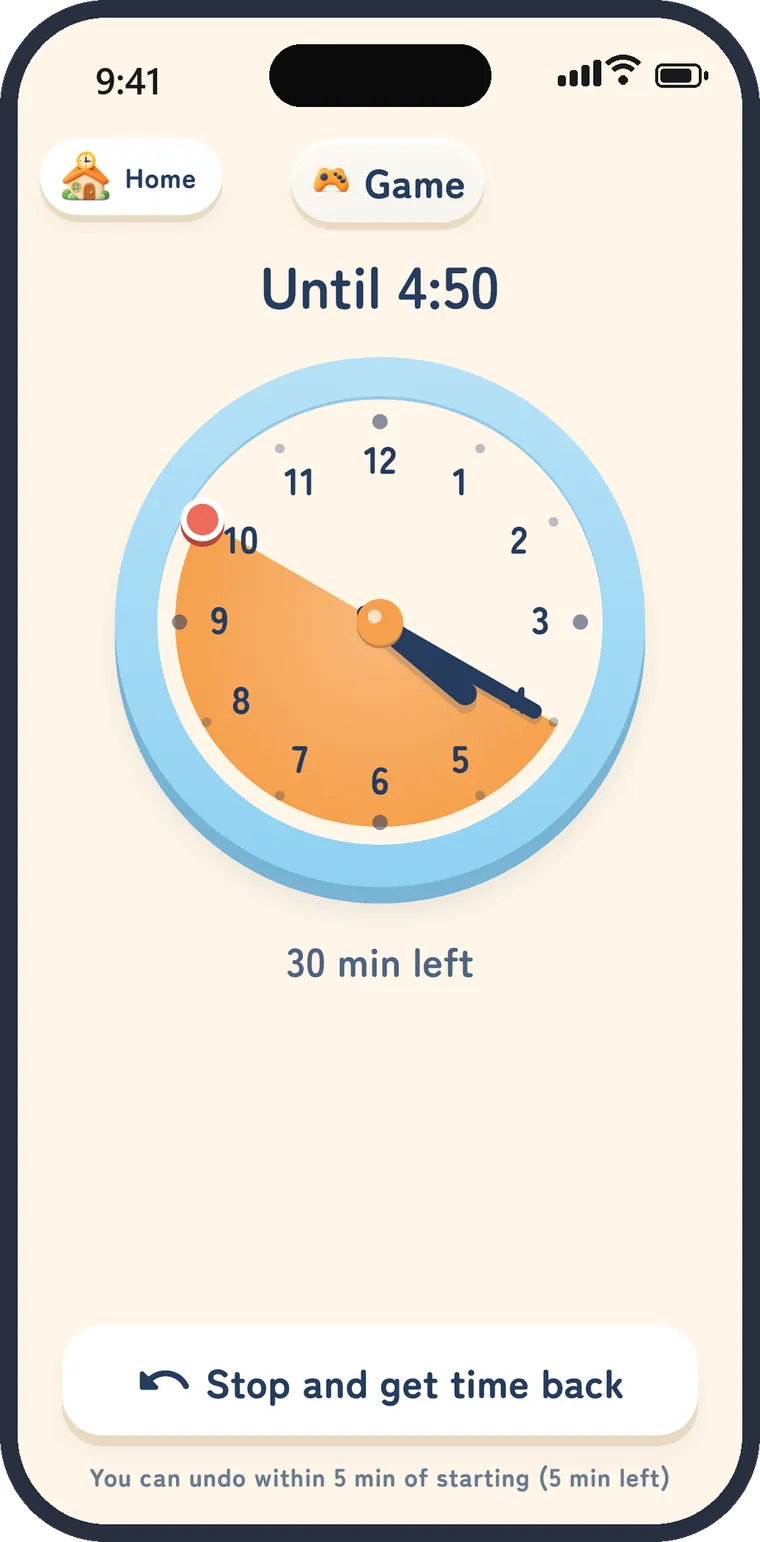
Done when the color's gone
A visual timer kids understand
- A sound 1 minute before the end, and an alarm when time is up
- Get the time back within 5 minutes of starting
- Switch to a digital clock if you prefer
A passbook for time
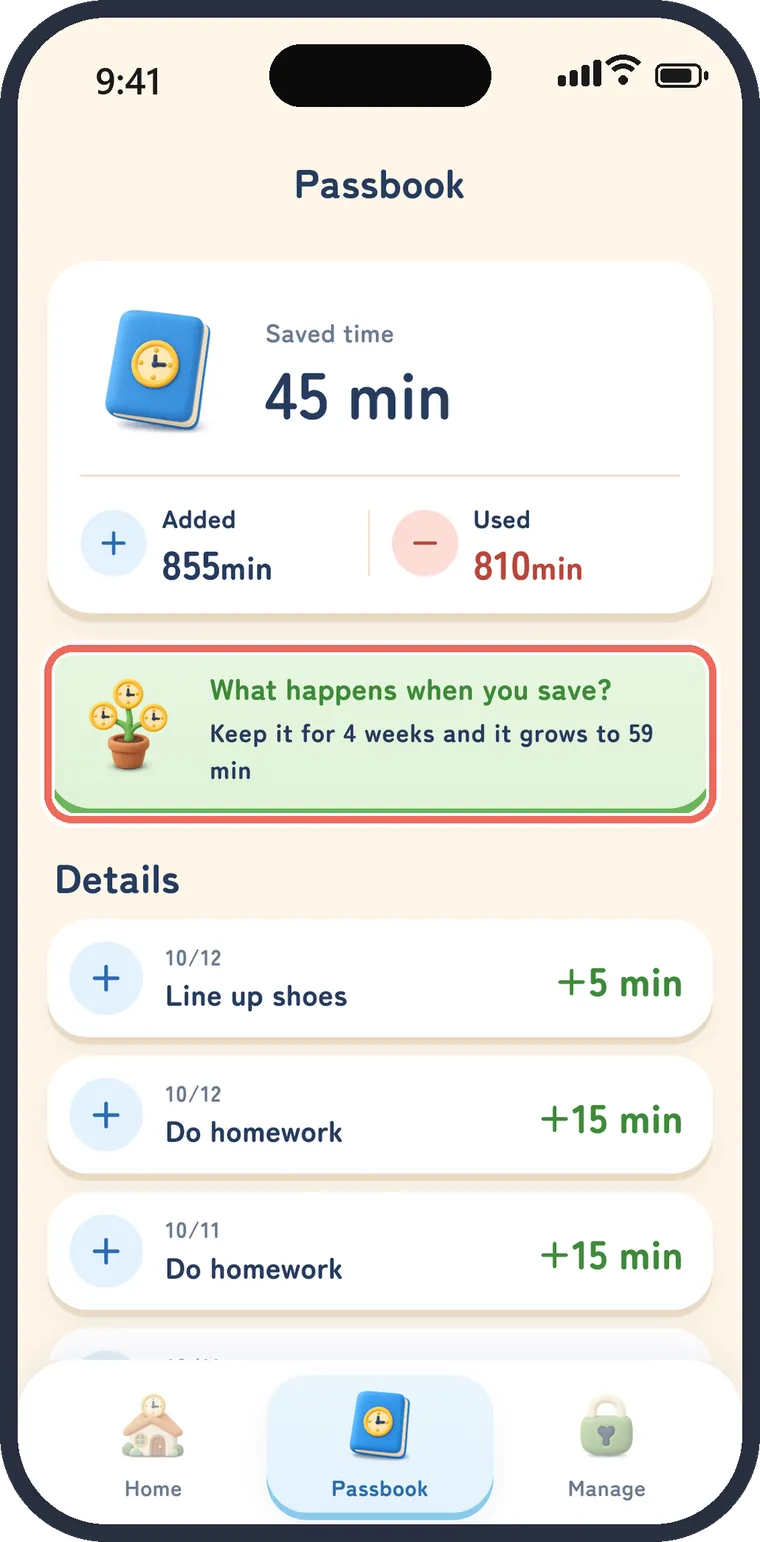
Time interest makes saving fun to learn
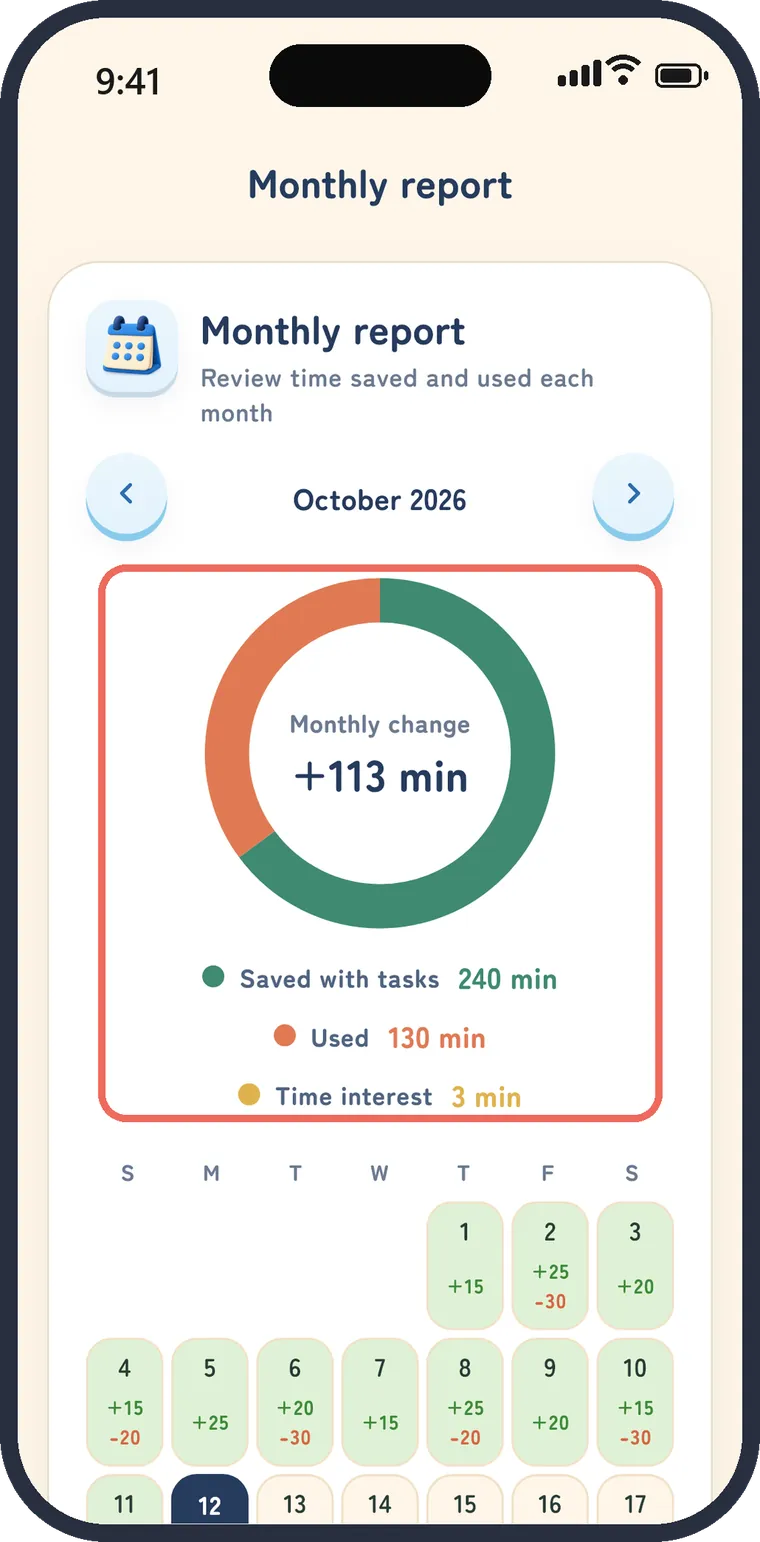
Every minute saved and used is recorded, like a bank passbook. The monthly report shows a chart and a calendar.
Time interest adds a little to saved minutes once a week, a gentle way to learn about saving and compound interest. No real money is involved.
Parents just approve
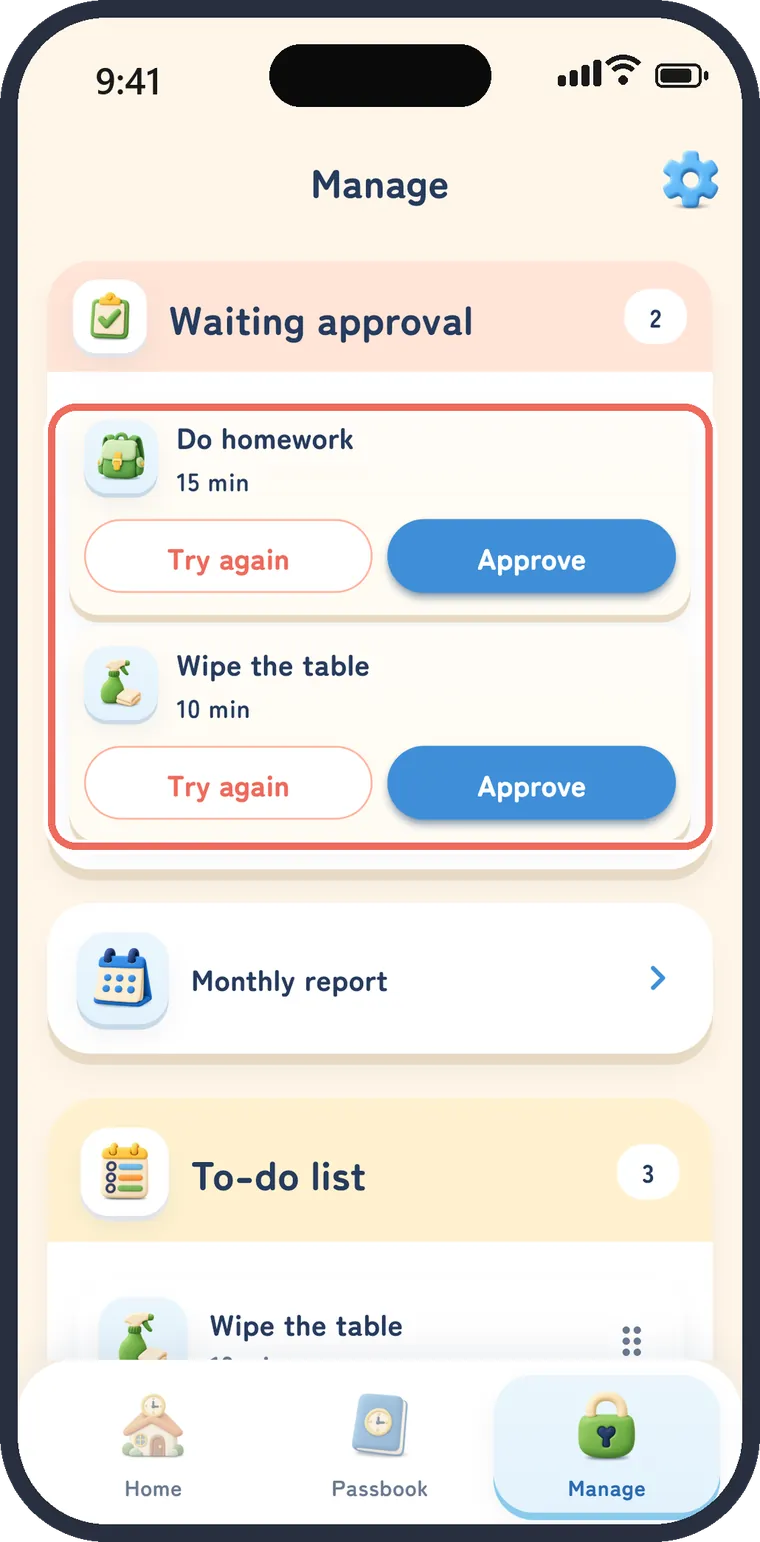
The parent area is locked with a PIN
- Approve, send back and set up to-dos in the Manage area
- One shared phone or tablet is all you need
- Ads appear only in the parent area, never on screens kids use
- An optional email account keeps your data when you change devices

FAQ
Can Chikuta stop or lock games and apps?
No. Chikuta does not block or lock apps on the device. It helps families keep the time rules they agree on, in a way kids can see on a clock.
Does it work for kids who can't read a clock yet?
Yes. When playtime starts, the remaining time is shown in color on a clock. When the color is gone, playtime is over. You can also switch to a digital clock.
How much does it cost?
Chikuta is free, with no in-app purchases. Ads appear only in the parent's Manage area, never on screens children use.
Can we use it with only one phone?
Yes. Approvals and settings are in the PIN-protected Manage area, so parents and kids can share one phone or tablet.
Does the timer stop if I close the app?
No. The timer counts toward its end time, so time keeps running with the app closed. The 1-minute warning and the alarm sound play while Chikuta is open on screen.
What is time interest?
Saved minutes grow a little once a week. It's a way to experience saving and compound interest, with no real money involved. You can turn it on or off in the Manage settings.
Can I keep my data when I change phones?
Register an email address to keep your saved time and chore records. Registration is optional; you can use Chikuta without it.
Which devices and languages are supported?
iPhone and iPad (iOS 15.0 or later) and Android. The app is available in English, Japanese, Korean, Traditional Chinese and German.
Saved time, on a clock
Free · iPhone / iPad / Android